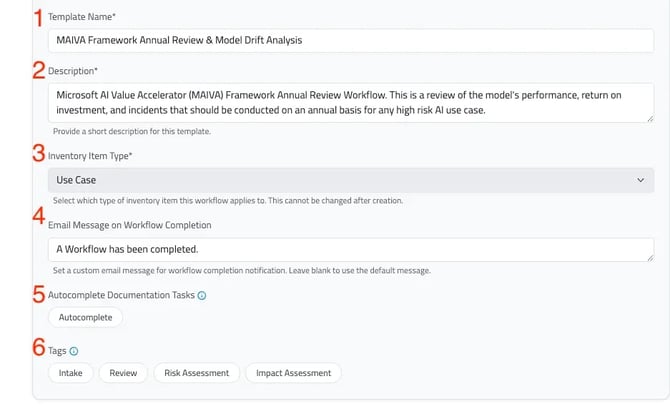
- Template Name: Define a clear and descriptive name for the workflow template.
- Description: Optionally add a description to help users understand when this workflow should be selected.
- Inventory Item Type: This field designates whether the workflow will be available on Use Cases or Vendors. Once this has been determined, the type cannot be changed as this will impact of field values. To learn more about Vendors, jump to “Vendor Task Types”
- Workflow Completion Email: Customize the email message sent upon workflow completion to share next steps or request additional information from submitters.
- Autocomplete Documentation Tasks: Enable this setting to reduce manual entry by automatically populating shared documentation fields across workflows. If a documentation field appears in multiple workflows, the information will carry over.
- Tasks: Use tags to structure and organize custom workflow - this serves as a helpful reminder on the types of workflows users are creating.