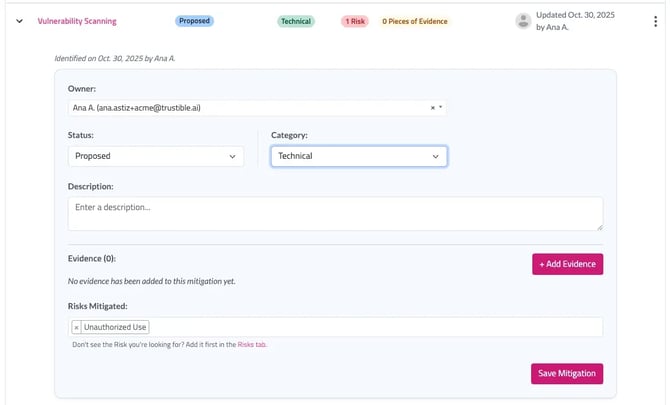
When you select + Add a Mitigation, you’ll be prompted to review recommended mitigations associated with the risks already attached to the use case, as well as all available mitigations in Trustible’s taxonomy.
Once mitigations are added, you can update their Status and Category, and add Evidence or link additional Risks. To edit a mitigation, click the downward-facing arrow on the left or the three-dot menu on the right.
An example of how mitigations appear once attached to a record is shown below.