
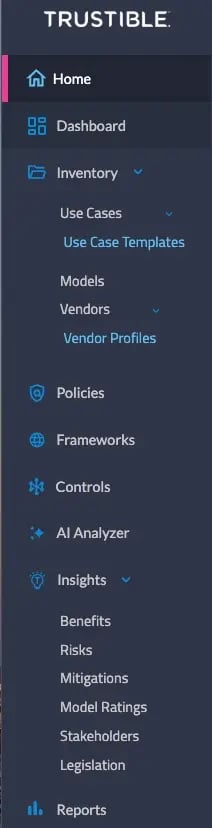
The navigation bar allows you to access:
-
- Home: Manage and track your tasks and assigned use cases
- Dashboard: View and filter data from your inventory
- AI Inventory: Manage your submitted use cases, access use case templates, create and update Model cards and Vendor profiles
- AI Policies: Create or assess your organizational AI policies
- AI Analyzer: Use Trustible's AI built analysis tool to review third party management documentation against pre-built or customer developed questionnaires to identify gaps
- Trustible's Insights: Use Trustible's AI/ML and policy expert's pre-built taxonomy across attributes such as Benefits, Risks, Mitigations, Model Ratings, Stakeholders, and Legislation to further enrich your use case reviews and AI governance program
- Frameworks: Assess the completeness of your policies and use case reviews against compliance frameworks
- Reports: Filter and export data to share use case reporting with cross-functional stakeholders