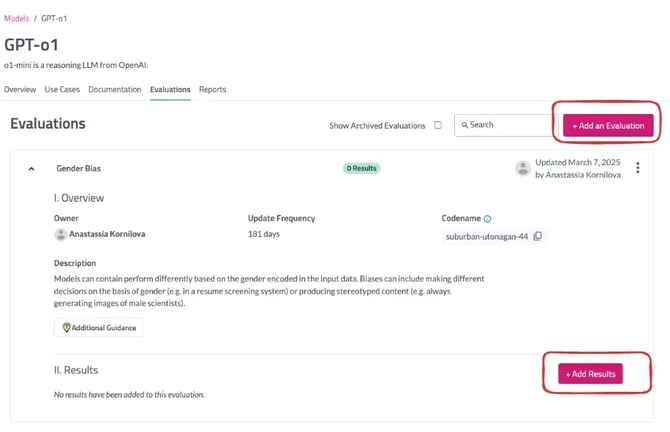
Within individuals vendors, you can manually document information under the “Documentation” tab located in the navigation bar under the vendor’s name and description. You can also conduct a vendor risk assessment by sending out a simple multiple questionnaire for vendors to complete, and then review the recommendations across several key risk categories.
To start the vendor risk assessment process, click on ‘Risk Assessment’. You will see a new screen here outlines the steps for the risk assessment process.
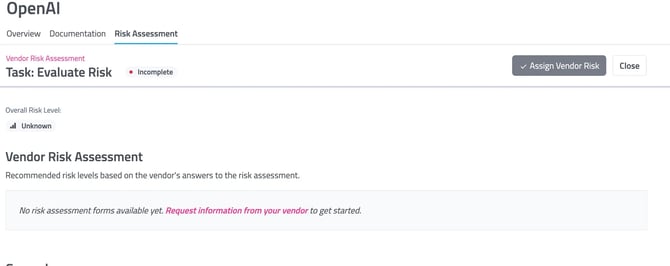
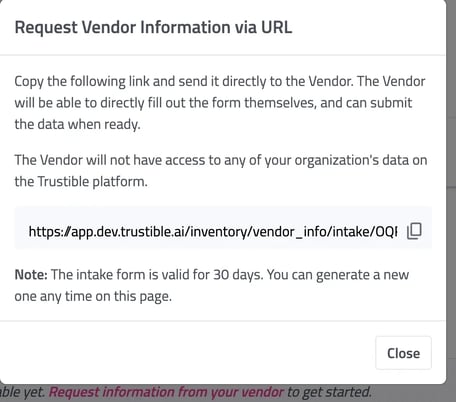
Click on ‘Request information from your vendor’, this will bring up a pop-up with a link to the vendor questionnaire. This can be sent to any vendor via email/slack. This form only gives the user access to fill out a one-time questionnaire.
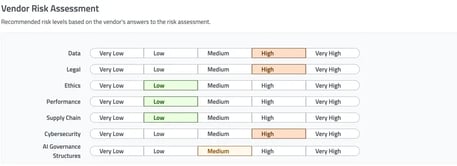
Once the vendor has completed the questionnaire, the risk assessment view will now show recommended risk scores across several vendor-relevant categories. These can be overridden by clicking ‘edit’.
Once the scores and documentation has been reviewed, you can then click ‘Assign Vendor Risk’ at the top right to assign an overall risk score for this vendor, and add a short note about the assessment.
Trustible’s questionnaire and risk scores are fully customizable. Contact us at support@trustible.ai with any modifications.